
Project Inkwell
How years of questionably legible notes were turned into a searchable knowledge base with a cheap, automated workflow

I have a reMarkable tablet and I mostly enjoy the reMarkable tablet, though I’ve long been exasperated by its corporate overlords and the lack of integrations1. I start almost every day with a “brain dump,” which works kind of like a To Do list for those of us possessing inconsistent and unpredictable executive function.
The contents vary from terrible ideas to brilliant ones, middle school math homework practice with my stepson, drawings of Mickey Mouse for the toddler, meeting notes, outlines, and anything I could imagine for the past few years. I even uploaded PDFs of crossword puzzles for fun. And the notes vary in levels of organization and coherence ranging from “Swiss Metro Schedule” to “post-unblocking dysphoria of feral feline.”
The problem, of course, is that handwritten notes on a reMarkable (at least those on MY reMarkable) are roughly as organized as napkins shoved in your glovebox. You can take comfort in knowing they’re there, but if you need a specific one, well, good luck.
And I find that frustrating because I don’t want a vault of my ideas and notes. I need to be able to get at them, easily and often, and I’m grown up enough to admit that I simply will not spend a meaningful amount of time organizing them. And also that I would be embarrassingly, frustratingly, catastrophically bad at it.
I wanted to fix this, so I built a solution. I’ve called it Inkwell, and I built it with Claude Code in an afternoon.2
What It Does, in Plain English (I Promise)
Every morning at 4 AM, a script creates a fresh notebook on my reMarkable, named with today’s date. Whenever I start the day, which is variable in my life, I pick up the tablet and write whatever I was going to write. Every evening at 11 PM, another script harvests that notebook: downloads it, renders the pen strokes into images, sends those images to Claude’s Vision model to read my handwriting3, and writes a clean, structured markdown note into my Obsidian vault.
That note includes a summary, extracted ideas, action items, tags inferred from the content, and backlinks to related topics already in my vault. By the time I sit down the next morning, yesterday’s notes are searchable, tagged, and woven into everything else I’ve been thinking about and have thought about for years.
After setup, I just write on the tablet. The rest happens while I sleep.4
But What About the Years of Notes I Already Have?!
Before the daily pipeline started, I had it run a one-time pass on everything already sitting on my reMarkable: 177 handwritten notebooks, some dating back to 2022. Claude Code downloaded all of them, rendered and OCR’d every page, and wrote each one into the vault’s archive. Then it flagged 66 of the 77 as “Best Of” notebooks containing ideas worth revisiting (erring on the side of inclusion), and compiled them into an index.
Years of handwritten notes. Searchable, linked, backlinked, and organized. The whole archive sweep took a few hours of compute and zero hours of my time.
Why Obsidian? A Brief and Enthusiastic Explanation About Where the Notes Live
Obsidian is a cheap knowledge management app that runs on local markdown files. Essentially a smart layer over a folder of plain text notes on your computer. You can link notes to each other with [[WikiLinks]], tag them, search across everything, and build a personal knowledge base that grows over time.
I picked Obsidian because it was free, safe, and easy to facilitate integrations to other things. It also makes nifty knowledge graphs that I find both useful and aesthetically pleasing.
A markdown file is a plain text file with a few simple formatting tricks baked in. Put asterisks around a word and it's bold. Put a hash at the start of a line and it's a heading. The file itself is just text, so basic it can be opened on any computer I’ve ever owned.
I leaned into markdown files because it was easy to train myself to use the markdown elements in writing.
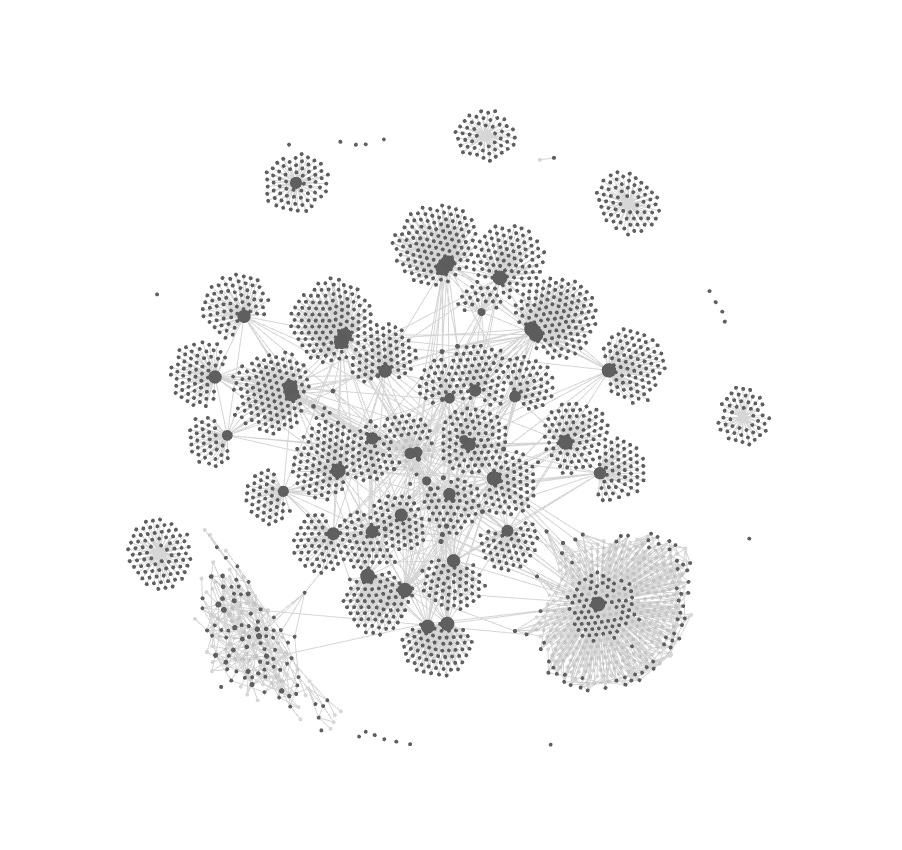
What does all this mean? It means it’s just a folder of markdown files on your hard drive. No proprietary database, no cloud lock-in, no subscription that holds my notes hostage. What’s mine is and stays mine. Every note is a plain text file you can open in Notepad, so if the company vanishes tomorrow you still have all those files. Obsidian just sits on top of your files and makes them searchable, linkable, and navigable. Instead of renting a storage unit from someone who might change the locks or up the monthly rate, I got a free filing cabinet and paid a computer program less than a dollar to organize it.
How Claude Code Built It, and Why That Matters More Than What “I” Built
Here’s the important bit for anyone reading this who thinks this is so far beyond them as to be impossible. For those who got this far and are still unconvinced that this isn’t just the mad musings of an ADHD-addled dilettante/generalist who should’ve been finishing his medical notes.5
I didn’t really create Inkwell. I imagined, articulated, and named Inkwell. I sat in front of the terminal with Claude Code and said, roughly: “I have a reMarkable tablet that syncs to the cloud. I want my handwritten notes to end up as structured markdown in my Obsidian vault every night, automatically.”
Then iterated.
Claude Code solved the rendering pipeline. The reMarkable stores pen strokes as binary data in a ZIP archive, not text, so each page has to be converted through a chain of transformations: binary strokes to SVG to PDF to PNG, and then the PNGs go to Claude’s vision model for transcription. That’s not a pipeline I could have coded from scratch, because until this week I didn’t know what SVG or PNG stood for.6
Don’t understand? You actually don’t have to understand. I think it’s neat to learn it, but you don’t need to understand this for it to work.
The whole system is six files. Two Python scripts for the daily cycle, two batch files for Windows Task Scheduler, and two one-time scripts for the archive migration. It uses rmapi for cloud access, a rendering chain built on rmc and PyMuPDF, and Claude Haiku for the vision work.7
The tech stack is simple because the problem, once you articulate it, is simple. The articulation is the key. That’s what “natural language processing” means.
Is this the greatest, fastest, bestest way to do this? Is this scalable and sellable? I have no idea and no. It’s just my workflow, personalized for me. And that’s really the beauty of it. If you want to copy the code, the workflow, the process, or the idea, by all means!
Claiming authorship over code I didn’t write is roughly the same as taking my wife to dinner and claiming I cooked it.
The Actual Point, Which I Have Eventually Reached
I keep coming back to a line I’ve used in talks: the veterinarian who learns to use AI tools effectively isn’t being replaced, they’re becoming unreasonably productive by eliminating unnecessary sources of friction.
Inkwell is a small example of what I mean. I didn’t learn to code a rendering pipeline. I didn’t study the reMarkable’s internal file format. I described a problem to a tool that could solve it, and then I refined the solution through conversation.
That’s the skill, not programming. Articulation is to express thoughts, ideas, or feelings clearly, fluently, and coherently. In context, it’s what’s necessary to describe what you want with enough precision that a capable system can build it.
Clinicians, decent ones anyway, are already facile with this. Our job is to take a messy, ambiguous presentation of a pathology and translate it into a structured differential and diagnosis. Every 20 minutes I take a patients fuzzy presentation of a disease, classify it in medical terms and algorithms in my head, and then explain it in lay terms to my client.
The same instinct that lets you turn “ain’t doin’ right” into a diagnostic workup lets you turn “I want my handwritten notes in my knowledge base” into a working pipeline. The cognitive motion is deeply familiar, you just typed it into a terminal running a large language model.
Years of handwritten notes, every clinical idea, every essay draft, every 2 AM thought, every meeting’s insights now live in a searchable, interlinked vault that grows by one note per day without any effort on my part. I built it in an afternoon with a tool that didn’t exist two years ago.
Think of what that would’ve cost in terms of labor hours, expertise, and expense. It would’ve cost thousands, if not tens of thousands.
And so I encourage you to go build something. Inkwell, if you want, or your own thing. Solve a problem that’s been annoying you for months. Fix a workflow that’s been held together with duct tape and guilt. Explore an idea you shelved because it would’ve required a computer science degree or computer scientist.
You won’t get it right on the first try. And that’s fine. Keep going. If you can say it, you can fix it.8
The tools exist, they’re just waiting for someone with a problem worth solving. And we’ve got a lot of those.
I effectively built what amount to “integrations” in an afternoon. And, I ask without prejudice, why isn’t that possible for a company with dozens of engineers and hundreds of millions in capital?
ADHD has imparted me with, among other things, a trait I’ve come to learn is called “time blindness.” So I use “an afternoon” in the way you’d expect someone with time blindness to use the term, which means roughly “an amount of time between two actual hours and the heat death of the universe, but probably closer to the former.”
Claude Vision struggles to read my handwriting a bit, which seems to be a function of the proximity of the individual letters to one another, which is either an indictment of the model or my penmanship. Hard to say…
At least when I hope to be asleep.
There’s a program for that too.
Scaled Vector Graphics (SVG) don’t work with Optical Character Recognition (OCR) technology because they’re not saved as pixels. They’re stored as text files, essentially as equations representing all the vectors. Portable Network Graphics (PNG) are raster-graphics files, saved as pixels, so the OCR can work.
For the technically curious: the full chain is: reMarkable cloud → rmapi → .rmdoc (ZIP) → binary stroke data → rmc (SVG) → svglib/PyMuPDF (PDF → PNG) → Claude Haiku 4.5 (vision + structuring) → markdown → Obsidian vault, synced via OneDrive. Total cost per day is pennies. The archive sweep of 177 notebooks cost less than a coffee.
I strongly encourage you to include things like “what are you doing and why” and “explain your reasoning” in your prompts. It’s helped me A LOT.